A Super 8 scan can look acceptable until the projector gate jitter, splice flashes, dust bursts, and faded cyan shadows begin competing with the image itself. Visual node based video restoration gives the restorer a practical way to isolate those problems, test corrections in context, and preserve a repeatable record of every decision made for the film.
For small archives, digitization providers, and collectors, that structure matters. Film restoration is rarely a single filter applied to an entire reel. A home movie may need stabilization before dust removal, a color correction that changes after a reel change, and different treatment for an optical soundtrack section. A node-based workflow turns this sequence into a visible processing chain rather than an opaque preset or a script that must be rewritten for every job.
What Visual Node Based Video Restoration Means
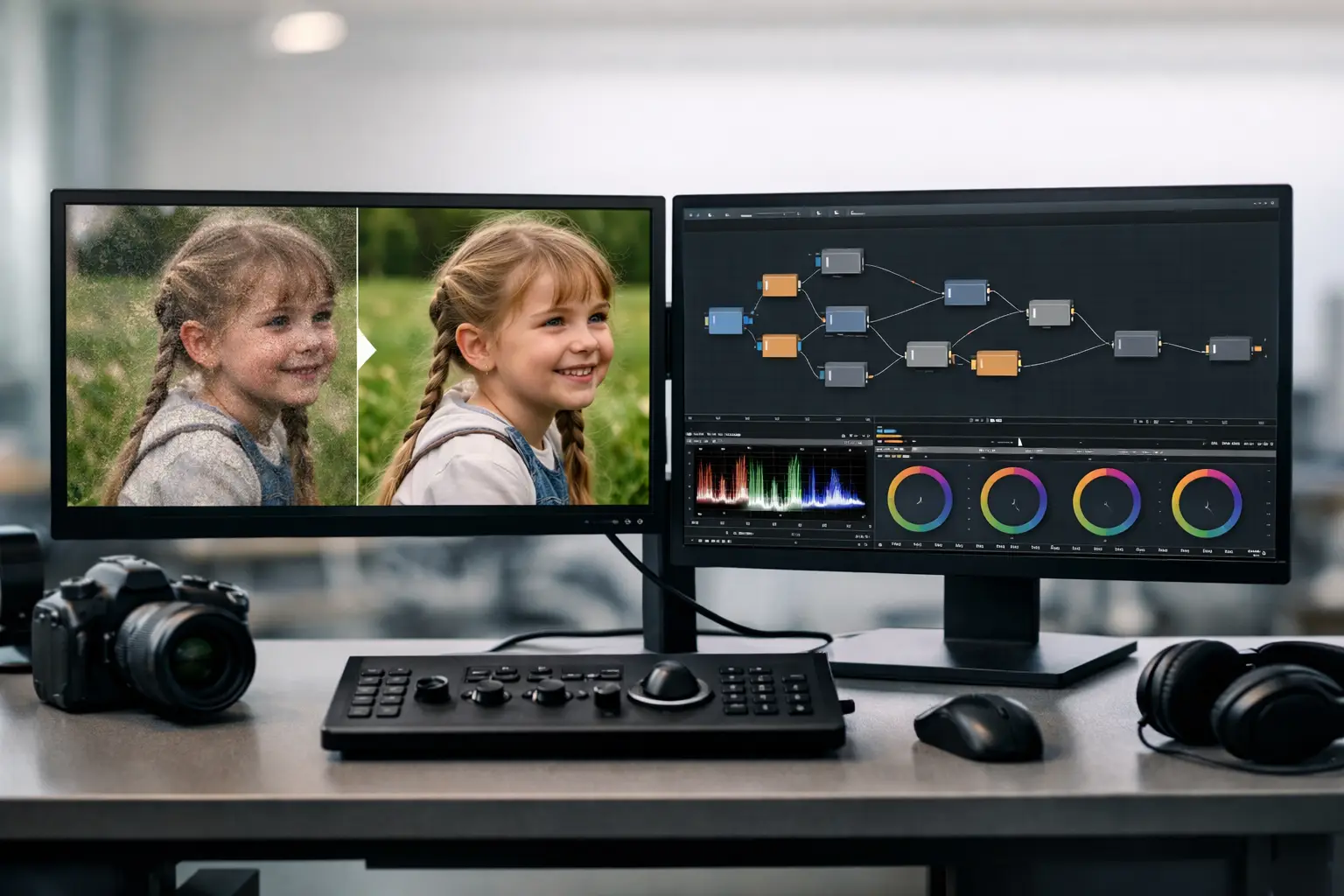
A node is a processing block with a defined task: ingest a scan, crop the frame edge, stabilize image movement, reduce grain, remove dirt, correct color, or encode a delivery file. Nodes connect in a deliberate order. The output of one stage becomes the input of the next, making the restoration pipeline visible at a glance.
This is more than a different interface style. In film work, processing order changes the result. Stabilizing from perforation data before temporal dirt removal can help a dust filter distinguish fixed image detail from frame-to-frame movement. Correcting severe exposure variation before final encoding prevents a compressed delivery file from locking in avoidable artifacts. A visual graph makes those dependencies easier to inspect and adjust.
The approach is especially useful when the source contains several types of damage. Instead of building one aggressive correction that tries to solve every defect, the operator can use focused stages with controlled settings. That reduces the risk of making faces waxy, erasing fine fabric detail, or turning natural film grain into digital smearing.
Why Film Scans Need a Specialized Pipeline
Generic video editors can trim clips, apply color effects, and export files. They are not necessarily designed around the physical behavior of scanned 8 mm, Super 8, 9.5 mm, or 16 mm film. Those formats carry defects that originate in the camera, projector, lab process, storage conditions, and scanning transport.
Frame instability is a clear example. Handheld camera movement belongs to the original shot and should usually remain. Mechanical gate movement does not. Perforation-based stabilization, often called Perfo Lock, is designed to reference the film transport rather than guess at camera motion from image content alone. That distinction can keep a family scene from looking artificially locked while still correcting the distracting weave caused by shrunken or poorly registered film.
Splices introduce another problem. A cement or tape splice may create a bright flash, a brief jump, a frame overlap, or a density change. Treating the entire reel with stronger temporal filtering to hide one splice is inefficient and can damage the rest of the footage. A specialized cleanup stage lets the restorer target the defect while keeping the surrounding material intact.
Color also needs context. Reversal film, faded prints, and aging dyes do not fail in the same way. A blue or magenta cast may be global, while an exposure shift may occur only after a scene change. Curves, levels, white balance, and gamma controls should be evaluated against skin tones, neutral objects, and the original film stock's character, not against an assumption that every image should look clinically neutral.
Restoration Is Correction, Not Reinvention
The best result is not always the cleanest-looking result. Grain can carry real photographic texture. Soft focus may be part of the original lens or shooting conditions. A slightly warm cast can be historically appropriate for a particular stock or scene.
This is where node-based control supports better judgment. Each operation can be bypassed, reordered, or reduced during preview. The restorer can compare the treated result against the scan and ask a more useful question: has the defect been reduced without changing the evidence in the frame?
Building a Practical Node Workflow
A reliable workflow begins with the source, not the effects. Import the highest-quality scan available, ideally a lossless or lightly compressed master that retains as much tonal and chroma information as possible. If the scanner provides overscan, retain it during initial inspection. The frame edge can reveal perforation movement, gate shadows, and splice behavior that would otherwise be hidden by an early crop.
The first correction stages are usually structural. Set the frame rate correctly, orient the footage, crop or mask unwanted scan borders, and address gross frame alignment. If the film has stable, visible perforations or a suitable reference area, apply perforation-based stabilization before cosmetic filtering. Preview several sections, including camera pans and handheld shots, to confirm that the process is correcting transport instability rather than suppressing intended motion.
Next, handle isolated physical defects and recurring contamination. Dust and dirt filters based on temporal analysis can be highly effective because random debris often appears in one frame while real image detail persists across adjacent frames. Tools such as RemoveDirtMC and motion-compensated processing can preserve moving subjects better than simple frame blending, but the settings must match the scan. Heavy dirt, fast action, and excessive motion estimation can create artifacts around hands, hair, or moving leaves.
Grain reduction comes after that, and it deserves restraint. A moderate temporal or spatial pass can calm noisy scans and make later encoding more efficient. An aggressive pass may remove the film's texture, soften edges, and create unstable patches in detailed areas. For archival masters, many operators retain more grain than they would for a casual web delivery. The master should preserve options; a derivative can be optimized for a specific audience later.
Color and tonal correction generally follow cleanup. Start by correcting obvious black and white point problems, then evaluate gamma and midtones. GamMac-style controls can be useful when a scan needs careful tonal shaping rather than a broad contrast increase. Work scene by scene when necessary. One global grade may be appropriate for a consistently exposed reel, but it is often the wrong choice for a compilation assembled from different cameras, stocks, or decades.
Finally, connect the output node to the delivery requirement. A preservation file may call for FFV1 or another archival-friendly codec, while a client review copy may use H.264 through x264 or H.265 through x265. Keep chroma sampling aligned with the source and intended use. A 4:2:2 or 4:4:4 intermediate can protect color information during finishing, whereas a smaller 4:2:0 copy may be suitable for distribution.
Previewing Decisions Before Batch Processing
The operational advantage of a visual graph is not only that it looks organized. It supports fast diagnosis. If a defect appears after grain reduction but not before it, the operator knows where to investigate. If a color adjustment makes dust more visible, the graph reveals whether cleanup should move later in the chain or receive separate settings.
Preview should include more than the opening seconds of a reel. Check dark scenes, high-contrast daylight footage, dense motion, splices, and the most damaged sections. A filter that performs perfectly on a static living-room scene may fail on a fast pan across trees. For films with magnetic or optical sound, verify image and audio synchronization after stabilization, trimming, and frame-rate handling.
Once a processing graph is validated, it becomes a reusable template rather than a fragile recipe. That is valuable for batches of similarly scanned reels. The template can establish a controlled baseline while still allowing per-reel adjustments for exposure, shrinkage, dirt level, and color fading.
Visual Control Without Script Maintenance
AviSynth+ remains valuable because it provides a mature processing environment for advanced restoration filters and precise frame-based operations. The practical barrier is that a script-only workflow requires users to write, troubleshoot, and maintain commands before they can judge the image.
A visual application can expose that processing power without forcing every archivist or digitization technician to become a scripting specialist. In AvyScan Lab, the node graph and parameter controls make it possible to construct and preview a restoration pipeline while retaining access to techniques associated with professional AviSynth+ workflows, including motion-aware cleanup and high-quality encoding.
That does not remove the need for technical judgment. It removes unnecessary friction between the judgment and the result. The operator spends more time evaluating the film and less time tracking syntax, file paths, or the order of commands in a text file.
Where Node-Based Restoration Has Limits
No graph can recover detail that was never captured, repair severe emulsion loss perfectly, or turn an out-of-focus shot into a sharp one. Automated dust removal can confuse damage with small image features. Stabilization can struggle when perforations are missing, obscured, or badly deformed. Color reconstruction becomes interpretive when no reliable neutral reference survives.
There is also a cost to complexity. A long chain of high-quality temporal filters, stabilization, and lossless encoding can demand substantial processing time and storage. The right pipeline depends on the purpose of the file. A preservation master justifies a slower, less destructive workflow. A large collection being prepared for family access may need a carefully chosen balance between throughput and correction depth.
The useful standard is not maximum processing. It is a documented, reversible workflow that improves viewing and protects the original character of the film. Build the graph around the defects you can see, preview the hard sections before committing a batch, and keep a clean source scan alongside every restored master.